MICROSOFTTEAMS

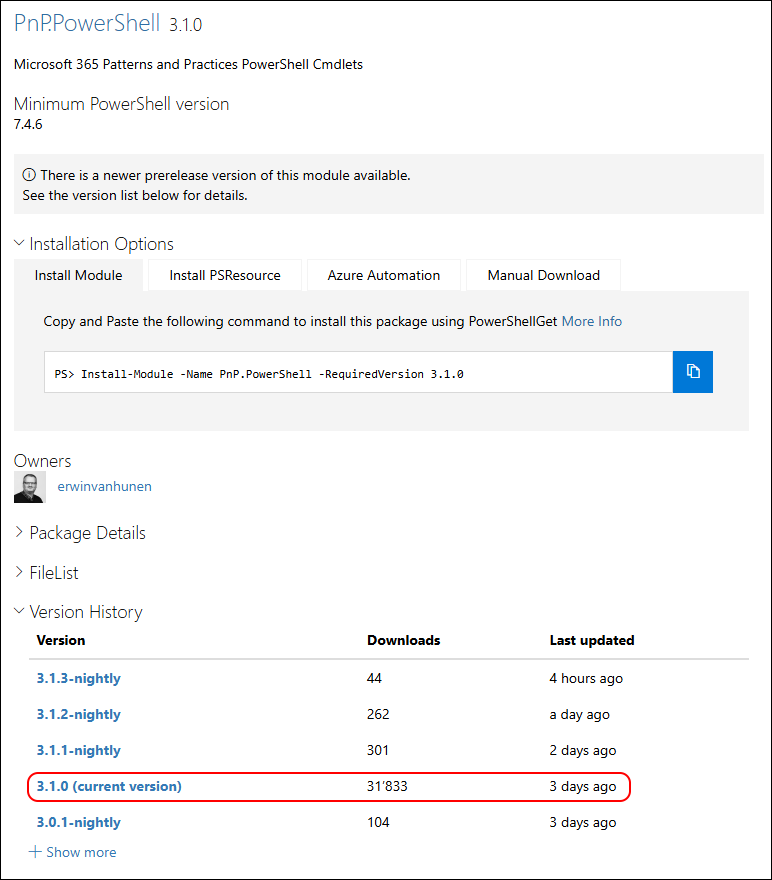
PnP.PowerShell 3.1.0 released

PnP.PowerShell 3.1.0 released

Hi All,

End of March the PnP.PowerShell Team annouced the V3 release

Three days ago, the Pnp.PowerShell was released to the PowerShell Gallery.

They increased the required PowerShell Version from 7.2 to 7.4.6.

I am using the new PSResourceGet here instead of the PowerShellGet commands.

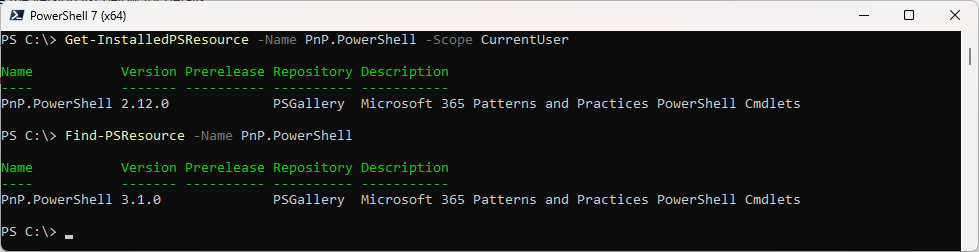
Show installed Versions and what’s available in PowerShell Gallery

Get-InstalledPSResource -Name PnP.PowerShell -Scope CurrentUser
Find-PSResource -Name PnP.PowerShell

MicrosoftTeams PowerShell Module 6.9.1-preview released

MicrosoftTeams PowerShell Module 6.9.1-preview released

Hi All,

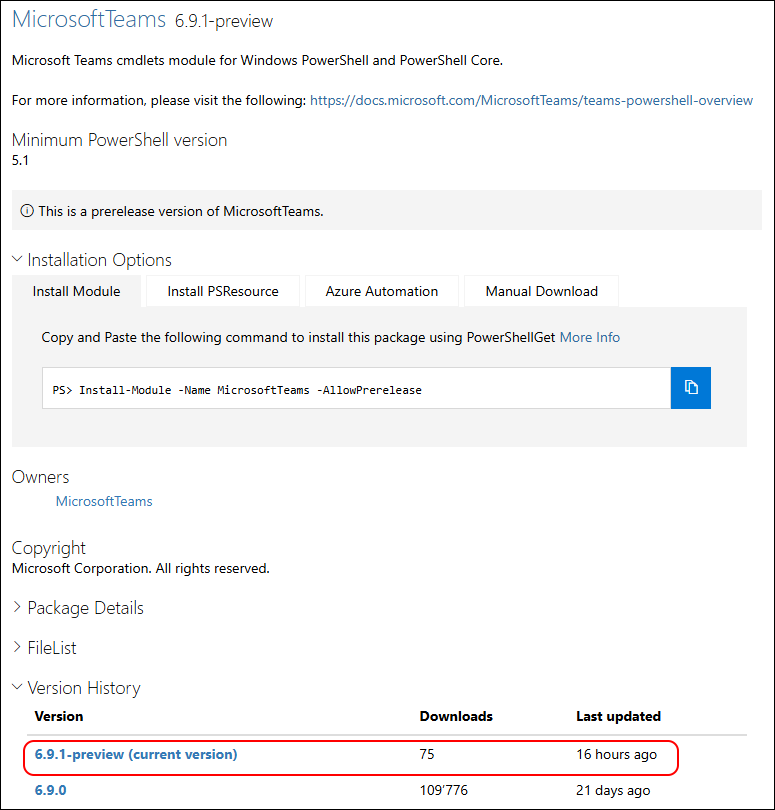
Yesterday, Microsoft has released the MicrosoftTeams PowerShell Module 6.9.1-preview to the PowerShell Gallery.

PowerShell Gallery MicrosoftTeams 6.9.1-preview

Read more details in the Release Notes

  • Adds ShiftsTeamId & ShiftsSchedulingGroupId parameters to [New|Set]-CsCallQueue cmdlets.
  • [BREAKING CHANGE] Deprecates CustomizeFederation parameter from [Get|Set]-CsTenantFederationConfiguration cmdlets.

I am using the new PSResourceGet here instead of the PowerShellGet commands.

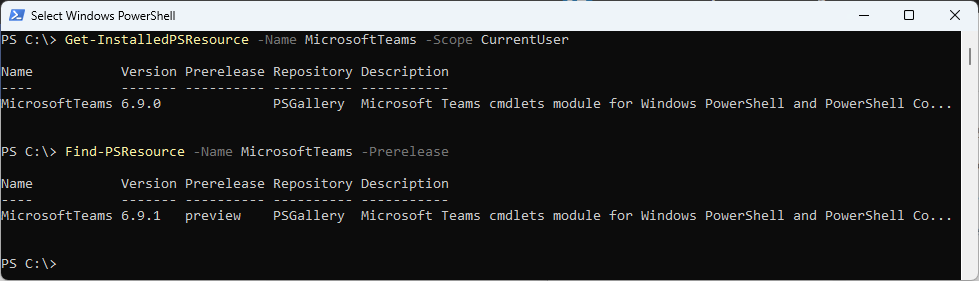
Check installed Module and what’s available in the PowerShell Gallery

Get-InstalledPSResource -Name MicrosoftTeams -Scope CurrentUser
Find-PSResource -Name MicrosoftTeams -Preview

MicrosoftTeams PowerShell Module 6.9.0 released

MicrosoftTeams PowerShell Module 6.9.0 released

Hi All,

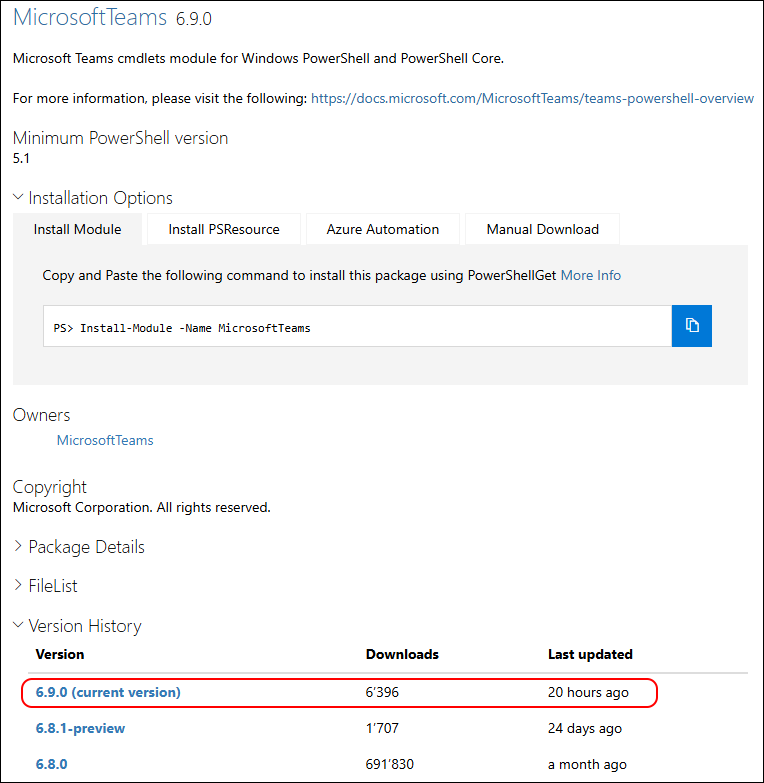
Yesterday, Microsoft has released the MicrosoftTeams PowerShell Module 6.9.0 to the PowerShell Gallery.

PowerShell Gallery MicrosoftTeams 6.9.0

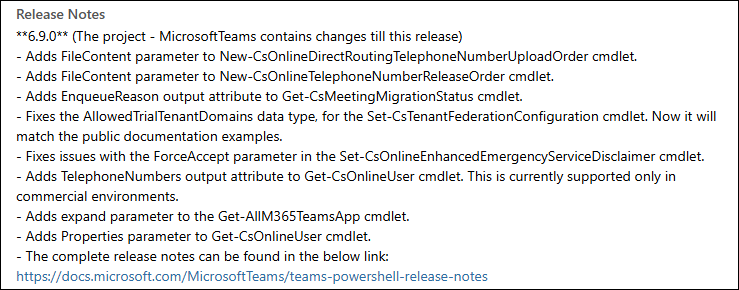
Read more details in the Release Notes

  • Adds FileContent parameter to New-CsOnlineDirectRoutingTelephoneNumberUploadOrder cmdlet.
  • Adds FileContent parameter to New-CsOnlineTelephoneNumberReleaseOrder cmdlet.
  • Adds EnqueueReason output attribute to Get-CsMeetingMigrationStatus cmdlet.
  • Fixes the AllowedTrialTenantDomains data type, for the Set-CsTenantFederationConfiguration cmdlet. Now it will match the public documentation examples.
  • Fixes issues with the ForceAccept parameter in the Set-CsOnlineEnhancedEmergencyServiceDisclaimer cmdlet.
  • Adds TelephoneNumbers output attribute to Get-CsOnlineUser cmdlet. This is currently supported only in commercial environments.
  • Adds expand parameter to the Get-AllM365TeamsApp cmdlet.
  • Adds Properties parameter to Get-CsOnlineUser cmdlet.

Microsoft Teams Direct Routing Phone Number Inventory

Microsoft Teams Direct Routing Phone Number Inventory

Hi All,

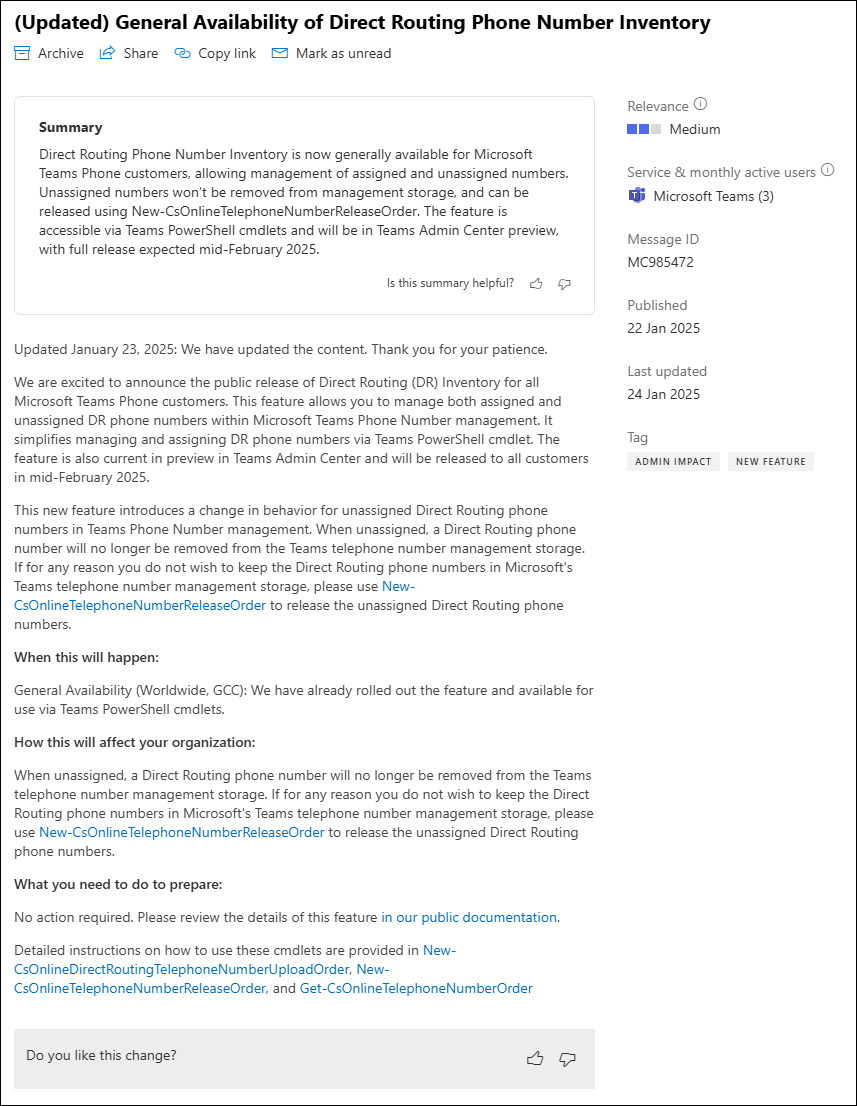
I saw this Message in the M365 Message Center a few Days ago and was very exited.

Until now you had to maintain a List of your Direct Routing Phone Numbers. I’ve seen Excel Spreadsheets, a SharePoint List, an SQL Database, Integrated in Service Now or 3rd party solutions like NumberPro.

Phone Number Management

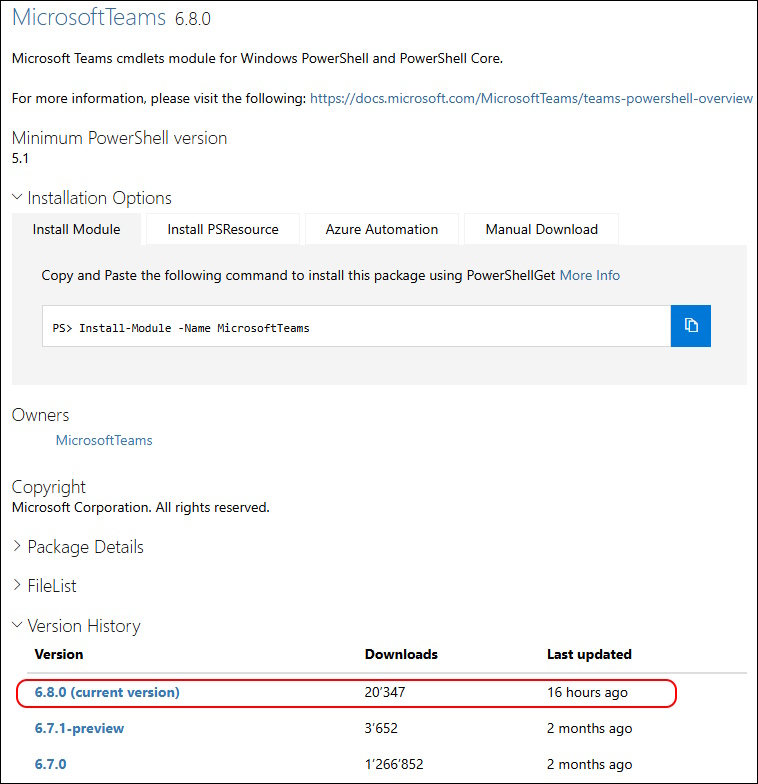
It’s best when you use the most recent MicrosoftTeams PowerShell Module 6.8.0.

Let’s list the Phone Numbers in my Microsoft Teams Tenant

MicrosoftTeams PowerShell Module 6.8.0 released

MicrosoftTeams PowerShell Module 6.8.0 released

Hi All,

Yesterday, Microsoft has released the MicrosoftTeams PowerShell Module 6.8.0 to the PowerShell Gallery.

PowerShell Gallery MicrosoftTeams 6.8.0

Read more details in the Release Notes

  • Adds an optional parameter TargetType to Get-CsOnlineTelephoneNumberOrder cmdlet.
  • [BREAKING CHANGE] Changes output attribute from TelephoneNumber to TelephoneNumbers in Get-CsOnlineTelephoneNumberOrder cmdlet.
  • Releases New-CsOnlineDirectRoutingTelephoneNumberUploadOrder cmdlet.
  • Releases New-CsOnlineTelephoneNumberReleaseOrder cmdlet.
  • [BREAKING CHANGE] Replaces EnablePayAsYouGoSpendingLimits for EnableSpendLimits in [New|Set]-CsTeamsCallingPolicy.
  • [BREAKING CHANGE] Replaces PayAsYouGoSpendingUserLimit for CallingSpendUserLimit in [New|Set]-CsTeamsCallingPolicy.
  • Adds ShowTeamsCallsInCallLog to [New|Set]-CsTeamsCallingPolicy.
  • Releases [Get|Set]-CsTeamsMultiTenantOrganizationConfiguration cmdlets.
  • Adds new policies namely TeamsBYODAndDesksPolicy, TeamsAIPolicy, TeamsWorkLocationDetectionPolicy, TeamsMediaConnectivityPolicy, TeamsMeetingTemplatePermissionPolicy, TeamsVirtualAppointmentsPolicy, TeamsWorkLoadPolicy to Get-CsOnlineUser cmdlet output.
  • Releases major updates to Get-CsOnlineUser cmdlet for Microsoft Teams operated by 21Vianet with significant performance improvements and new filtering capabilities to scenarios without the “-Identity” parameter.
    • Performance improvements especially with “-Filter” scenarios like using wildcard operator (), OnPrem and Timestamp attributes.
    • Correct values will start populating in the output for CountryAbbreviation, UserValidationErrors, WhenCreated.
    • These attributes are now enabled for filtering: Alias, City, Company, HostingProvider, UserValidationErrors, OnPremEnterpriseVoiceEnabled, OnPremHostingProvider, OnPremLineURI, OnPremSIPEnabled, SipAddress, SoftDeletionTimestamp, StateOrProvince, Street, TeamsOwnersPolicy, WhenChanged, WhenCreated, FeatureTypes, PreferredDataLocation, LastName.
    • These filtering operators have been reintroduced into Get-CsOnlineUser:
      • “-like” operator now supports use of wildcard operators in ‘contains’ and ’ends with’ scenarios. Example: Get-CsOnlineUser -Filter “DisplayName -like ‘abc’”
      • “-contains” can now be used for filtering on properties that are an array of strings like FeatureTypes, ProxyAddresses and ShadowProxyAddresses. Example: Get-CsOnlineUser -Filter {FeatureTypes -contains “PhoneSystem”}
      • “-gt” (greater than), “-lt” (less than) can now be used for filtering all string properties. Example: Get-CsOnlineUser -Filter {UserPrincipalName -gt/-lt “abc”}
      • “-ge” (greater than or equal to), “-gt” (greater than), “-lt” (less than), “-le” (less than or equal to) can now also be used for filtering on policies.Example: Get-CsOnlineUser - Filter {ExternalAccessPolicy -ge “xyz_policy”}
    • Updates to type of users displayed:
      • Unlicensed Users - Unlicensed users would show up in the output of Get-CsOnlineUser.
      • Soft deleted users - These users will be displayed in the output with SoftDeletionTimestamp set to a value.
      • Guest users are now available in the output.
      • [BREAKING CHANGE] IneligibleUser - AccountType as Unknown will be renamed to IneligibleUser. IneligibleUser will include users who do not have any valid Teams licenses (except Guest, SfbOnPremUser, ResourceAccount).
  • Releases Get-M365UnifiedCustomPendingApps cmdlet to get all M365 unified custom pending apps.
  • Releases Update-M365UnifiedCustomPendingApp cmdlet to publish or reject an M365 unified custom pending app.
  • Adds Filter parameter to Get-CsPhoneNumberAssignment cmdlet.
  • Adds AIInterpreter, VoiceSimulationInInterpreter parameters to [New|Set]-CsTeamsMeetingPolicy.
  • Adds ImmersiveEvents parameter to [New|Set]-CsTeamsEventsPolicy.
  • Adds AnonymousUserAuthenticationMethod parameter to [New|Set]-CsTeamsMeetingPolicy.
  • Adds ExtendedWorkInfoInPeopleSearch parameter to Set-CsTeamsClientConfiguration.
  • [BREAKING CHANGE] Replaces VoiceSimulationInInterpretation for VoiceSimulationInInterpreter in [New|Set]-CsTeamsCallingPolicy.

MicrosoftTeams PowerShell Module 6.7.0 released

MicrosoftTeams PowerShell Module 6.7.0 released

Hi All,

Just a few Hours ago, Microsoft has released the MicrosoftTeams PowerShell Module 6.7.0 to the PowerShell Gallery.

PowerShell Gallery MicrosoftTeams 6.7.0

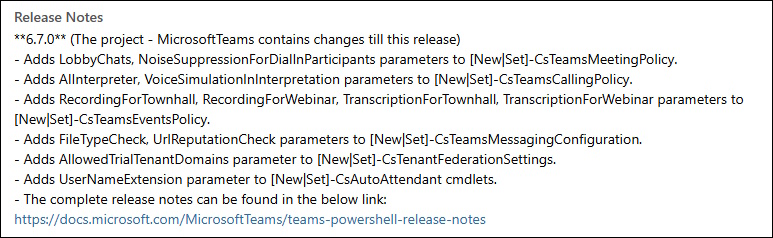
Read more details in the Release Notes

  • Adds LobbyChats, NoiseSuppressionForDialInParticipants parameters to [New|Set]-CsTeamsMeetingPolicy.
  • Adds AIInterpreter, VoiceSimulationInInterpretation parameters to [New|Set]-CsTeamsCallingPolicy.
  • Adds RecordingForTownhall, RecordingForWebinar, TranscriptionForTownhall, TranscriptionForWebinar parameters to [New|Set]-CsTeamsEventsPolicy.
  • Adds FileTypeCheck, UrlReputationCheck parameters to [New|Set]-CsTeamsMessagingConfiguration.
  • Adds AllowedTrialTenantDomains parameter to [New|Set]-CsTenantFederationSettings.
  • Adds UserNameExtension parameter to [New|Set]-CsAutoAttendant cmdlets.

I am using the new PSResourceGet here instead of the PowerShellGet commands.

MicrosoftTeams PowerShell Module 6.6.0 released

MicrosoftTeams PowerShell Module 6.6.0 released

Hi All,

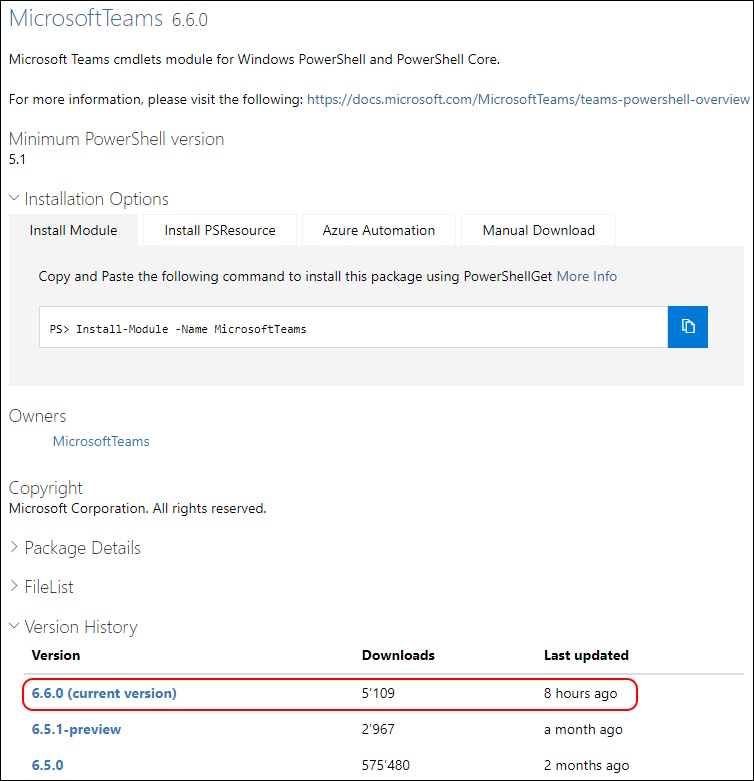
Just a few Hours ago, Microsoft has released the MicrosoftTeams PowerShell Module 6.6.0 to the PowerShell Gallery.

PowerShell Gallery MicrosoftTeams 6.6.0

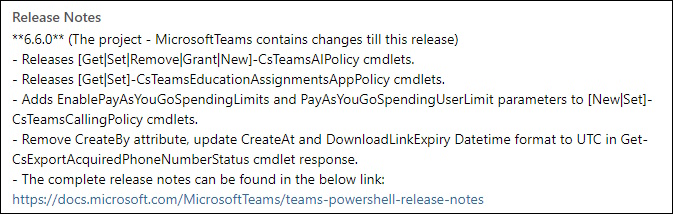
Read more details in the Release Notes

  • Releases [Get|Set|Remove|Grant|New]-CsTeamsAIPolicy cmdlets.
  • Releases [Get|Set]-CsTeamsEducationAssignmentsAppPolicy cmdlets.
  • Adds EnablePayAsYouGoSpendingLimits and PayAsYouGoSpendingUserLimit parameters to [New|Set]-CsTeamsCallingPolicy cmdlets.
  • Remove CreateBy attribute, update CreateAt and DownloadLinkExpiry Datetime format to UTC in Get-CsExportAcquiredPhoneNumberStatus cmdlet response.

I am using the new PSResourceGet here instead of the PowerShellGet commands.

Shedule Outlook Meetings with diffrent Teams Accounts

Shedule Outlook Meetings with diffrent Teams Accounts

Hi All,

I did attend the EXUSG Meetup Q3 2024 yesterday. As always it was very well presented and interesting Sessions.

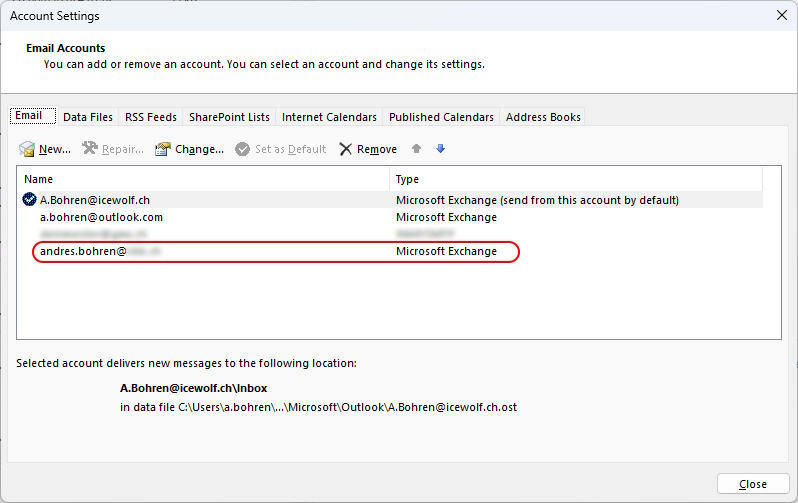
During the Q and A Part at the end, there came up a Question how to Manage Outlook Meetings when having two Accounts in two diffrent Tenants.

I have already added the Additional Account in the Outlook Classic Profile

When i shedule a Meeting i can add a Teams Meeting

MicrosoftTeams PowerShell Module 6.5.0 released

MicrosoftTeams PowerShell Module 6.5.0 released

Hi All,

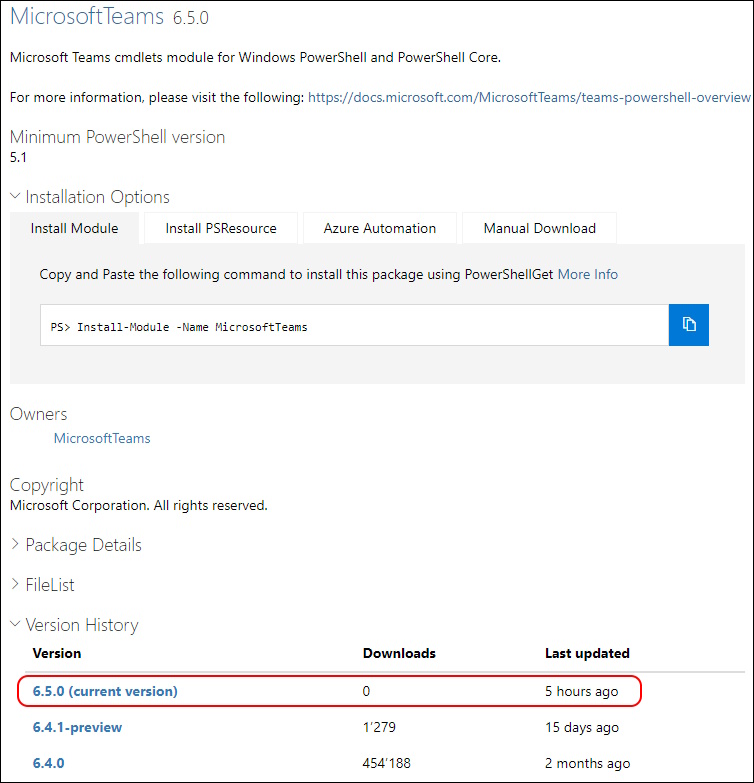
Just a few Hours ago, Microsoft has released the MicrosoftTeams PowerShell Module 6.5.0 to the PowerShell Gallery.

PowerShell Gallery MicrosoftTeams 6.5.0

Read more details in the Release Notes

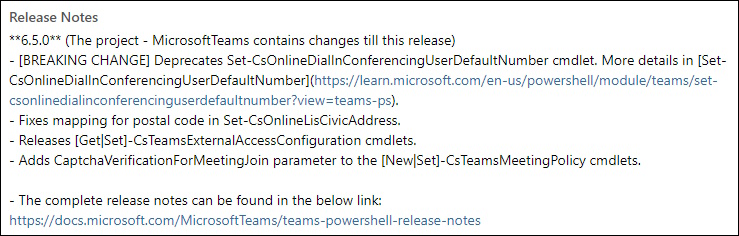
  • [BREAKING CHANGE] Deprecates Set-CsOnlineDialInConferencingUserDefaultNumber cmdlet. More details in Set-CsOnlineDialInConferencingUserDefaultNumber.
  • Fixes mapping for postal code in Set-CsOnlineLisCivicAddress.
  • Releases [Get|Set]-CsTeamsExternalAccessConfiguration cmdlets.
  • Adds CaptchaVerificationForMeetingJoin parameter to the [New|Set]-CsTeamsMeetingPolicy cmdlets.

I am using the new PSResourceGet here instead of the PowerShellGet commands.

Check installed Module and what’s available in the PowerShell Gallery

MicrosoftTeams PowerShell Module 6.4.0 released

MicrosoftTeams PowerShell Module 6.4.0 released

Hi All,

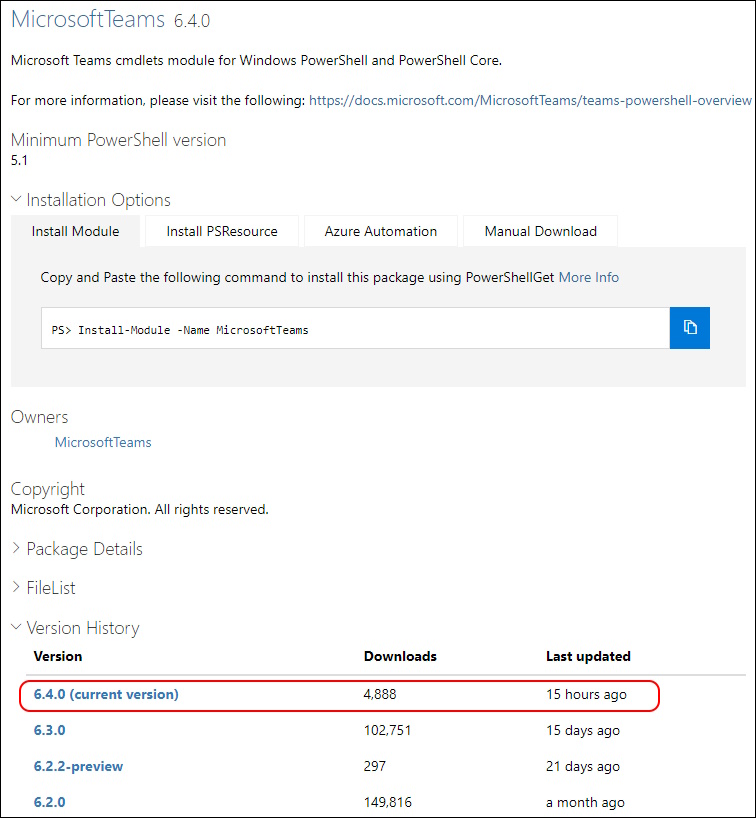
Just a few Hours ago, Microsoft has released the MicrosoftTeams PowerShell Module 6.4.0 to the PowerShell Gallery.

PowerShell Gallery MicrosoftTeams 6.4.0

Read more details in the Release Notes

  • Adds ExternalAccessWithTrialTenants parameter to the Set-CsTenantFederationConfiguration cmdlet.

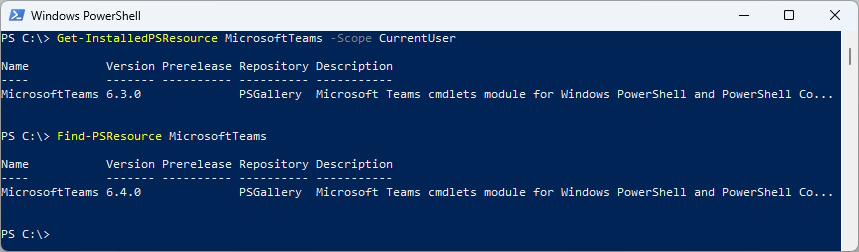
I am using the new PSResourceGet here instead of the PowerShellGet commands.

Check installed Module and what’s available in the PowerShell Gallery

Get-InstalledPSResource MicrosoftTeams -Scope CurrentUser
Find-PSResource MicrosoftTeams

Uninstall the old Module and install the newest Module