
Exchange Online Reply-all storm Protection
Hi All,
A Month ago, Microsoft annouced in the Exchange Team Blog, the New Reply-all Storm Protection Report, Settings UI and new Mail flow Alert Policies.
New Reply-all Storm Protection Report, Settings UI, and Alert Policy https://techcommunity.microsoft.com/t5/exchange-team-blog/new-reply-all-storm-protection-report-settings-ui-and-alert/ba-p/3292465
In the new Exchange Admin Center https://admin.exchange.microsoft.com you can find the Reply-all Storm Settings unter Settings > Mail flow
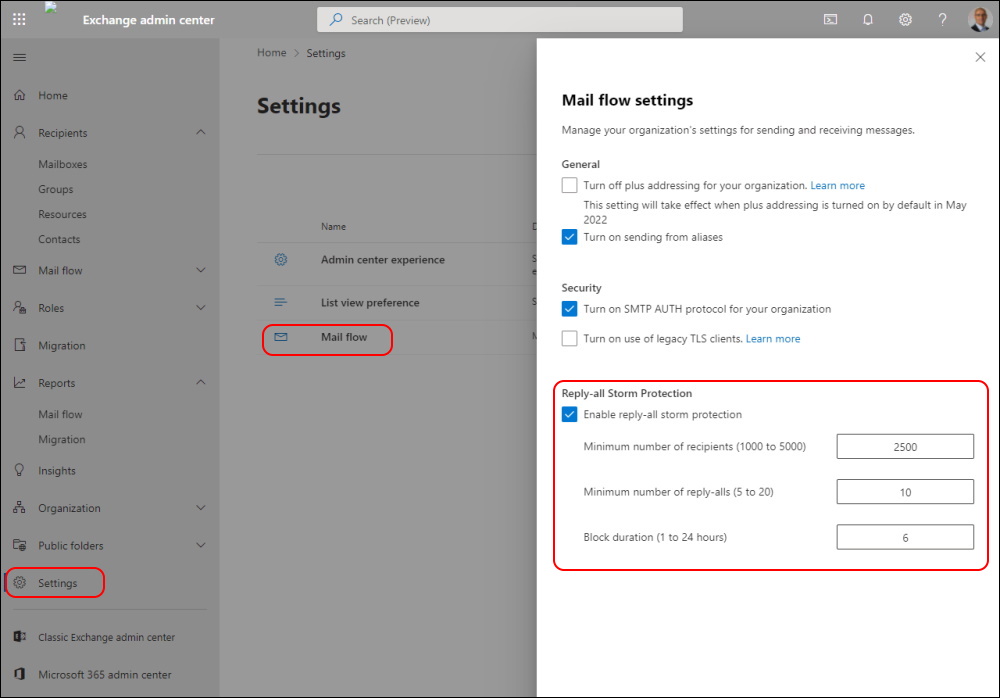
These Settings can also be configured by PowerShell.
Keep in Mind, that the Minimum Recipients must be between 1000 and 5000. A good Number for large Enterprises but not very suitable if you’re a smaller Company with 100 up to 1000 Employees.
Get-TransportConfig | fl *storm*

Now there is also a Report under Reports > Mail flow
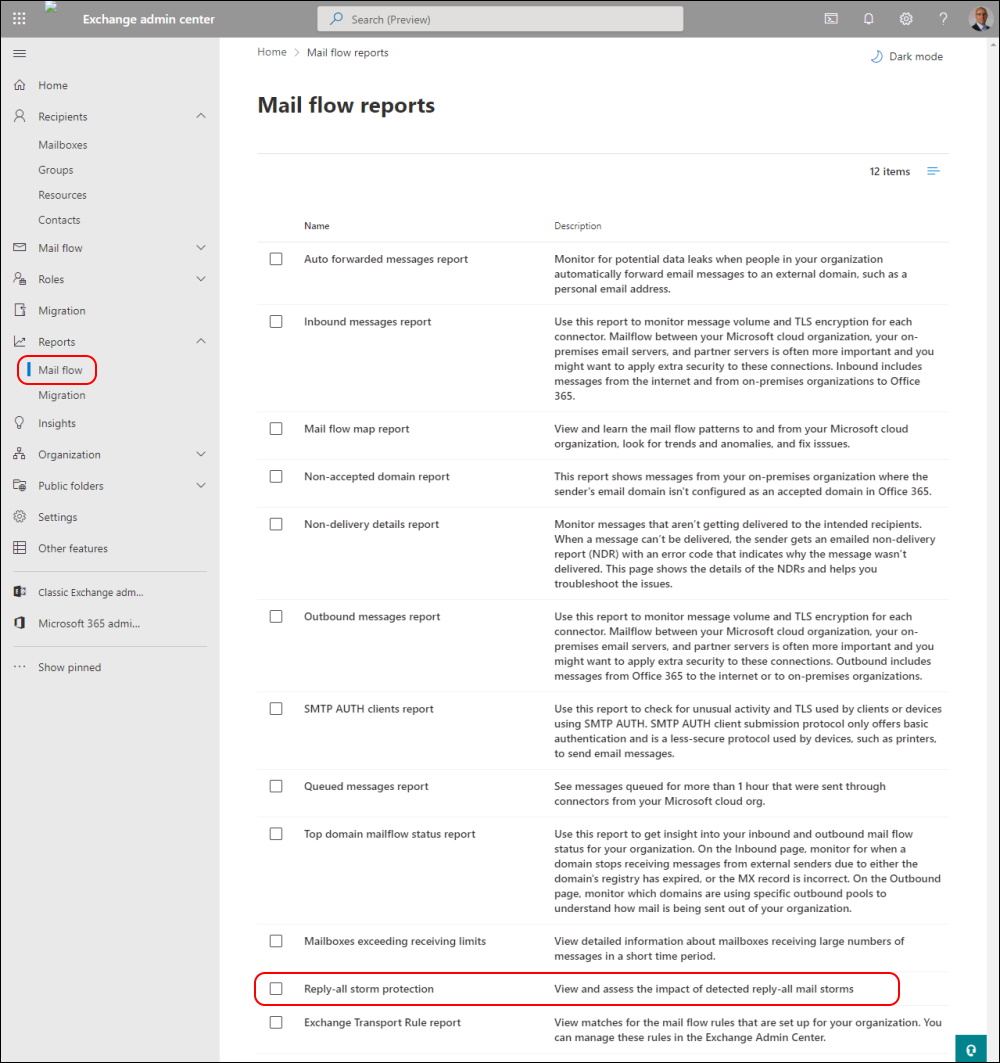
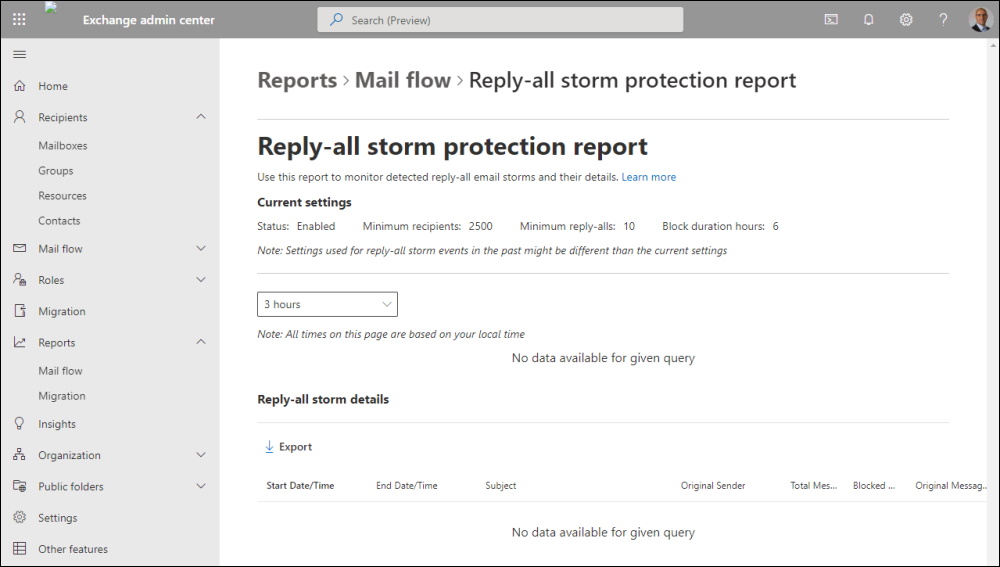
Reply-all storm protection report in the new Exchange admin center in Exchange Online https://docs.microsoft.com/en-us/exchange/monitoring/mail-flow-reports/reply-all-storm-protection-report
Regards
Andres Bohren
