
Check your M365 Licenses with Azure Automation V2 (with Microsoft Graph)
Hi All,
Over a Year ago i did wrote a Azure Automation Script to check your M365 Licenses.
I did rewrite that code to support Microsoft Graph for query the Licenses and also send the Mail via Microsoft Graph.
Setup Environement
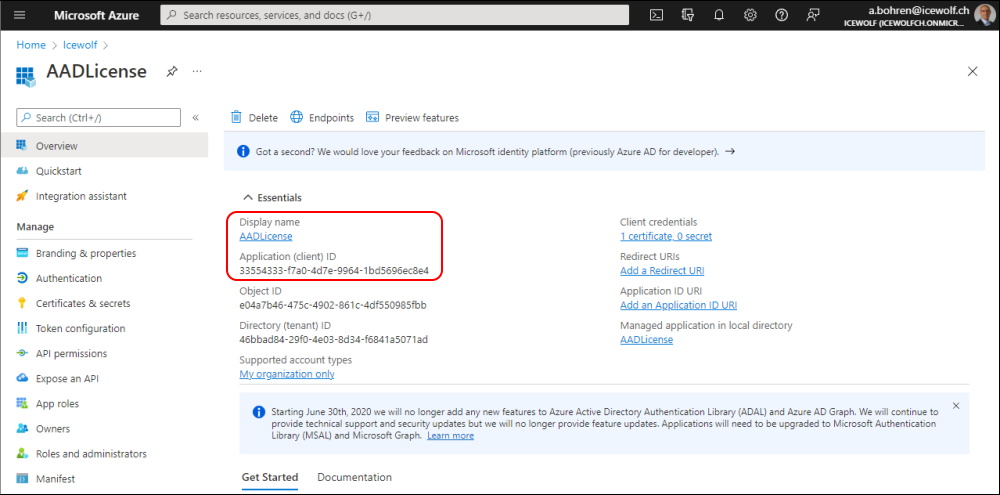
I first created a new AzureAD Application (just to make a clear separation of Graph Permissions for the purpose of this Demo).
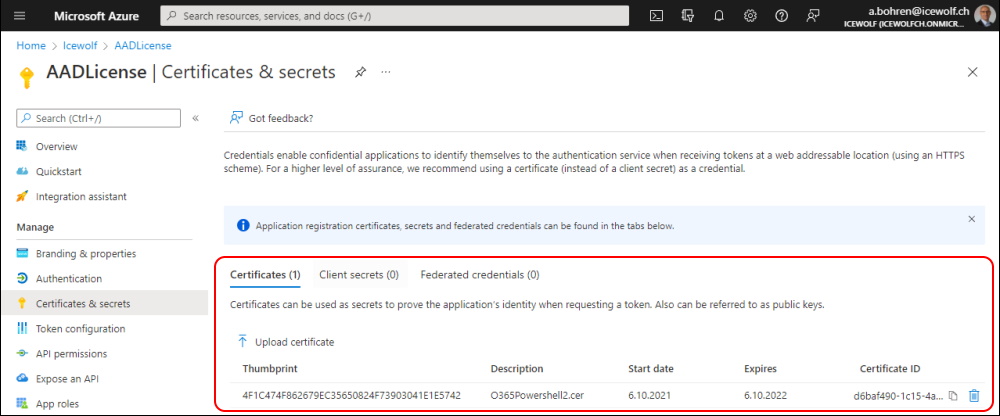
Then i uploaded a Certificate wich i also use for several other Azure AD Apps
This Script will need the following Microsoft Graph Permissions with Admin Consent
- Directory.Read.All
- Mail.ReadWrite
- Mail.Send
- User.Read.All
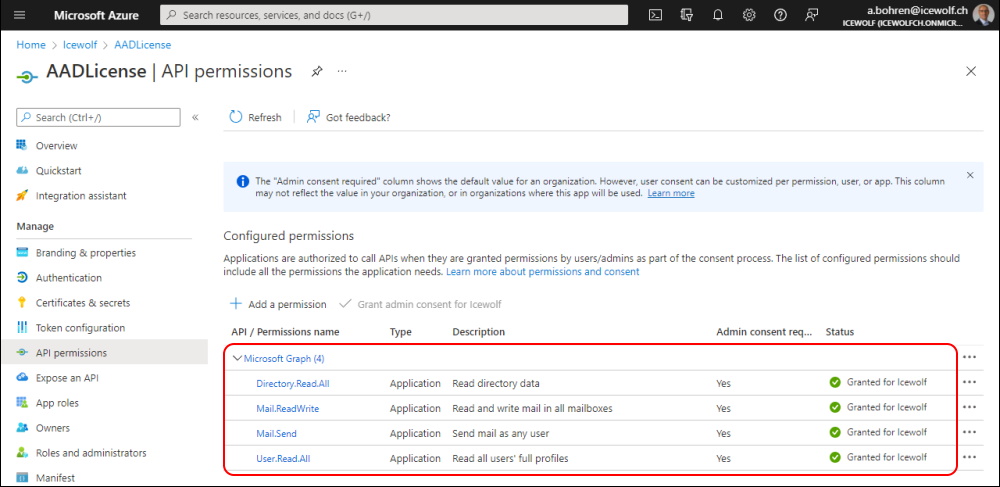
As you can see, with these permissions the Application could read and send from all Mailboxes. Therefore we need to secure that with an Exchange Online ApplicationAccessPolicy.
- Limiting application permissions to specific Exchange Online mailboxes
- Limit Microsoft Graph Access to specific Exchange Mailboxes
To restrict the Access you need to create a Mail Enabled Security Group, with the Member of the Mailbox you want to send mails from - in this case the Postmaster Mailbox.
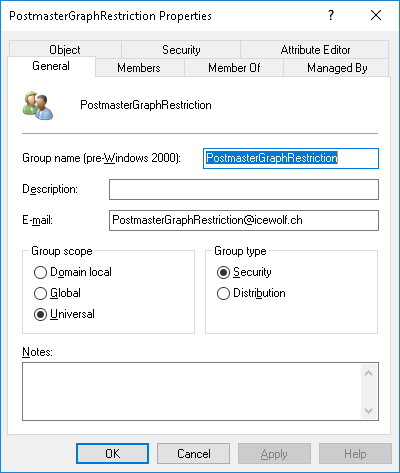
After AAD Connect has sychronized the Group i can check it in Azure AD
Get-AzureADGroup -SearchString PostmasterGraphRestriction | ft DisplayName, ObjectId, SecurityEnabled, MailEnabled, Mail

Now i am able to create the ApplicationAccessPolicy in Exchange Online
New-ApplicationAccessPolicy -AccessRight RestrictAccess -AppId 33554333-f7a0-4d7e-9964-1bd5696ec8e4 -PolicyScopeGroupId PostmasterGraphRestriction@icewolf.ch -Description "Restrict this app to members of this Group"
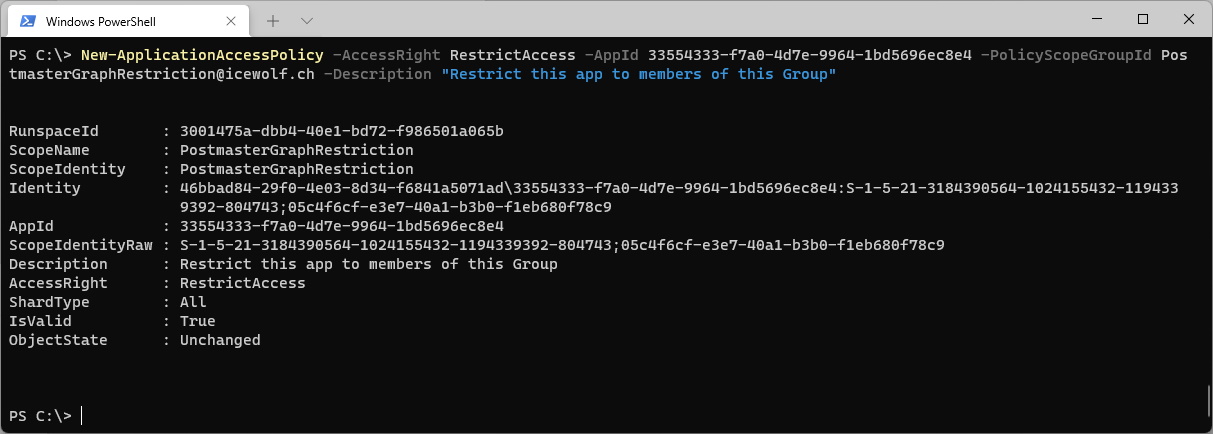
I can test the ApplicationAccessPolicywith the App and diffrent Mailboxes to see if they are blocked or not
Test-ApplicationAccessPolicy -AppId 33554333-f7a0-4d7e-9964-1bd5696ec8e4 -Identity postmaster@icewolf.ch
Test-ApplicationAccessPolicy -AppId 33554333-f7a0-4d7e-9964-1bd5696ec8e4 -Identity SharedMBX@icewolf.ch
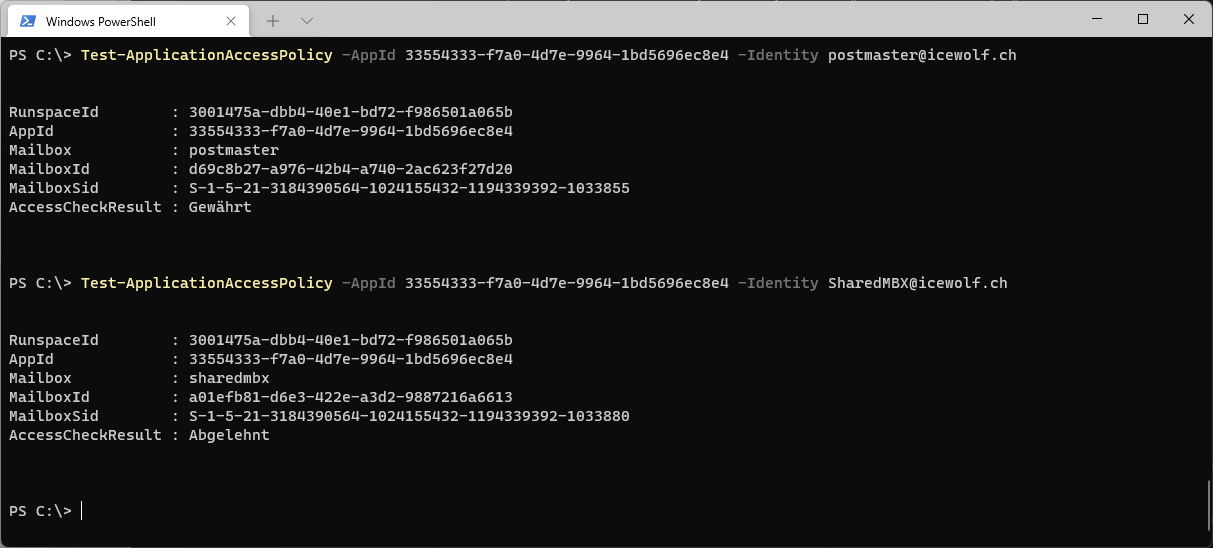
Set up Azure Automation
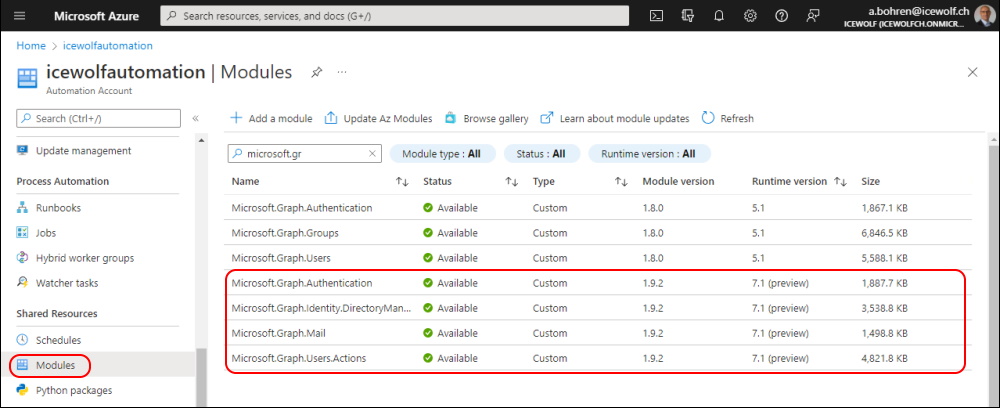
In Azure Atomation you need to add the Microsoft Graph Modules. I’ve addet the Powershell 7.x Versions
- Microsoft.Graph.Authentication
- Microsoft.Graph.Users.Action
- Microsoft.Graph.Mail
- Microsoft.Graph.Identity.Management
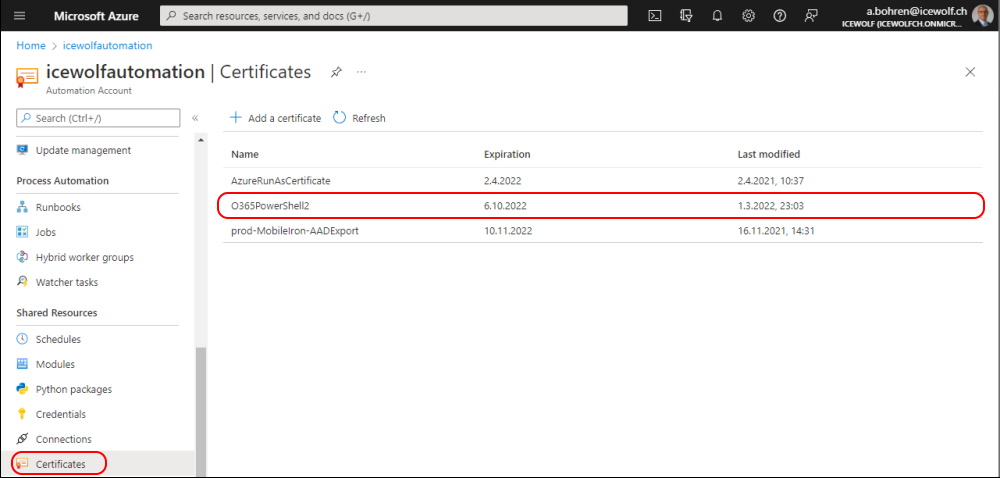
I’ve uploaded the *.pfx (Certificate containing the private Key) to Certificates in Azure Automation
You can use the Auzre Automation Connection
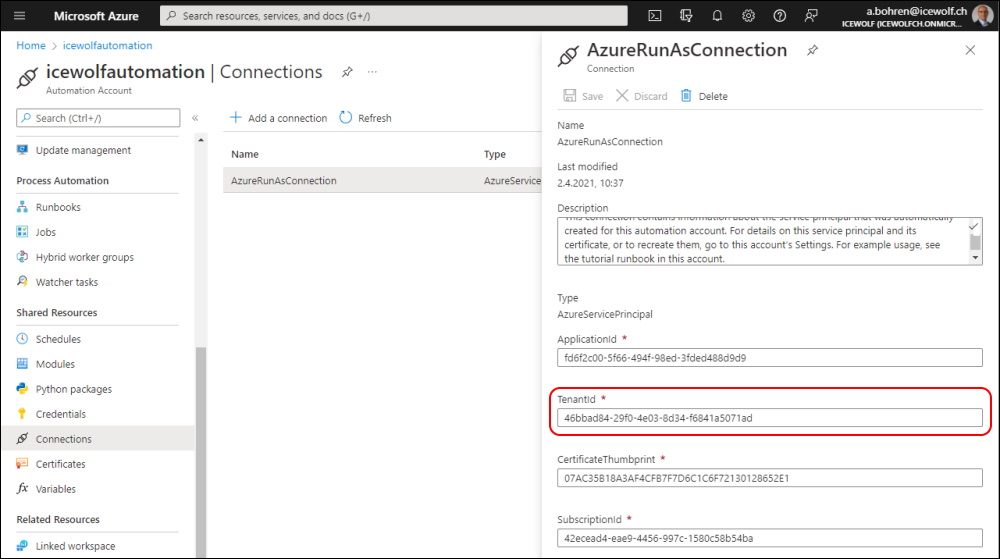
or use the Automation Variables instead of the Automation Connection to get the Variables for AppID and TenantID
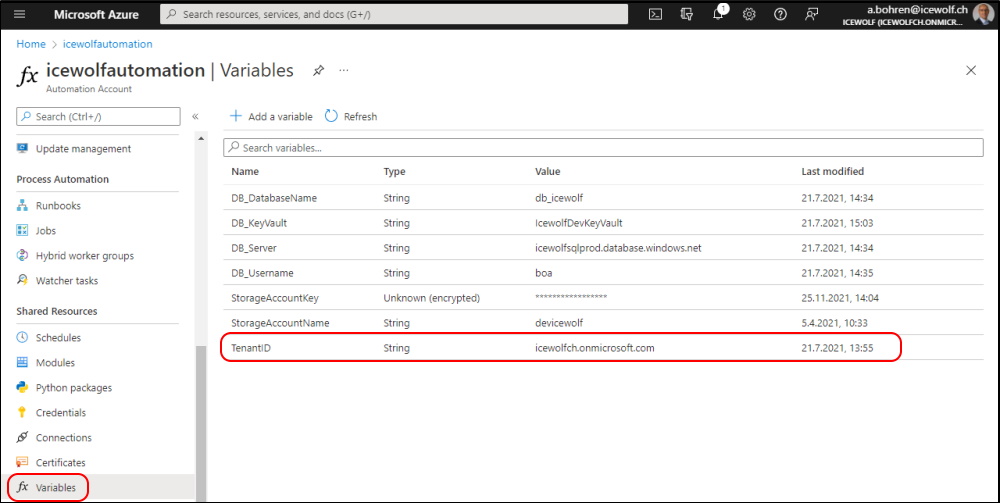
I’ve published the Script on my GitHub Page M365LicenseCheckV2.ps1
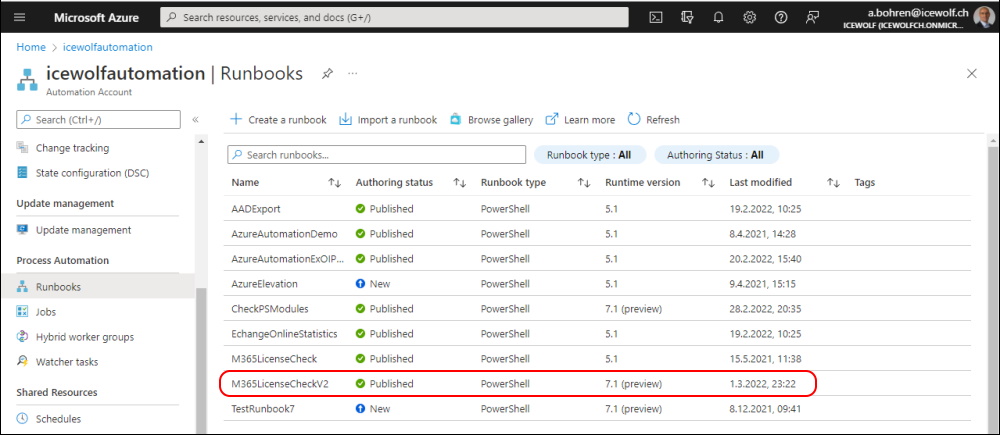
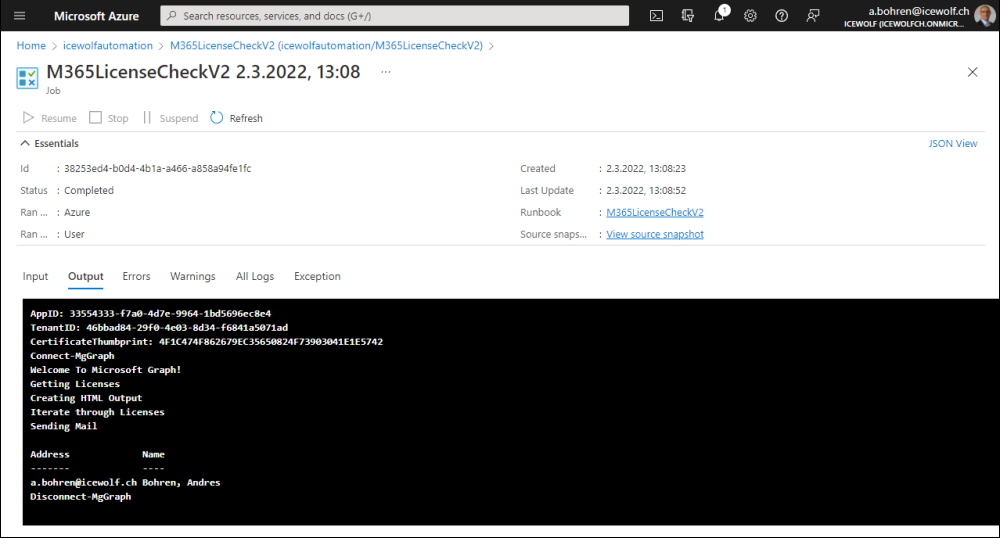
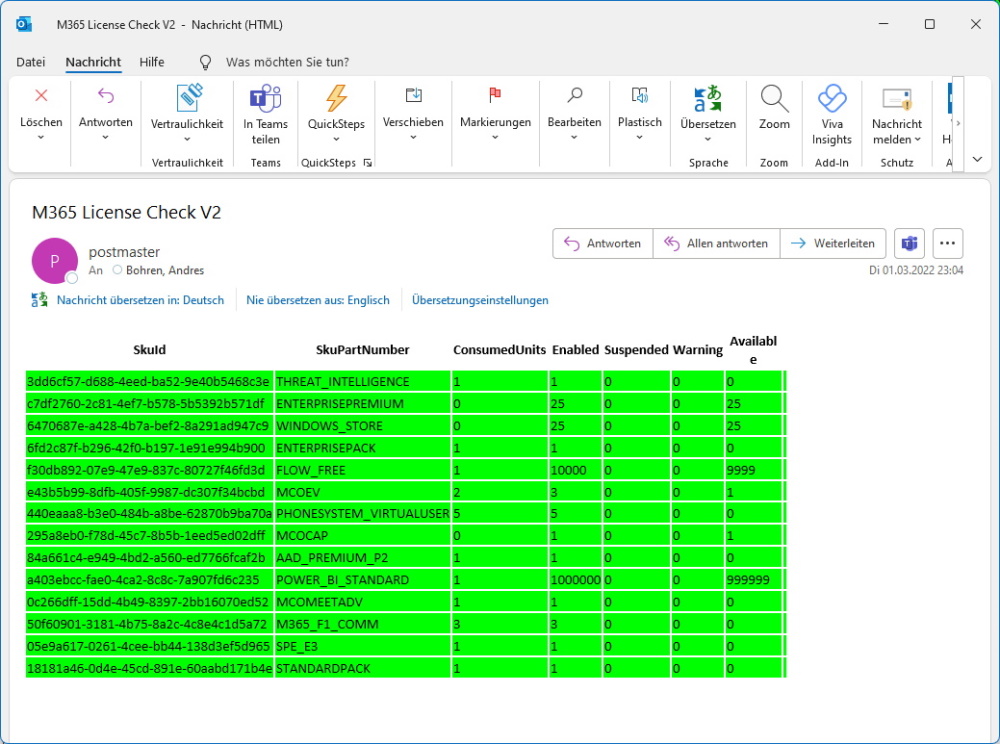
This is how it looks like
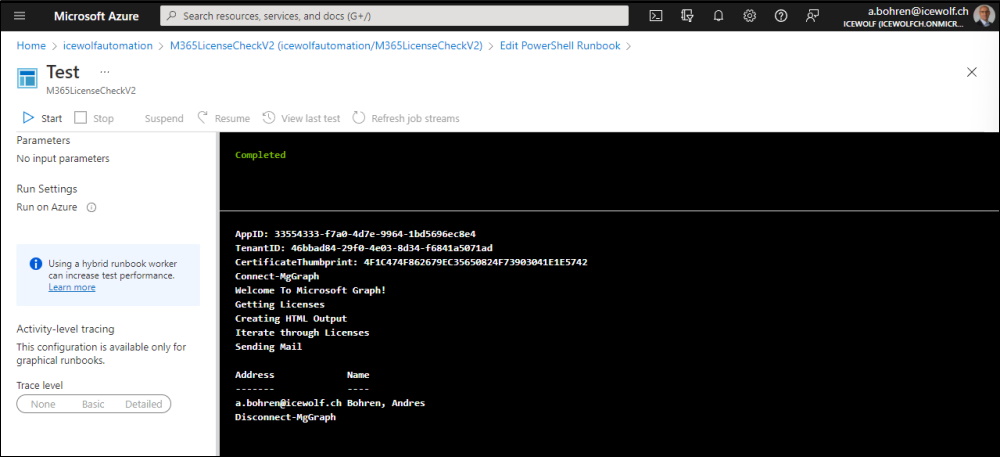
The result Email i’ve received.
Regards
Andres Bohren
